Synthesys AI Tool
- Availablilty:
- Yes
- No
- No
- Share Tool :
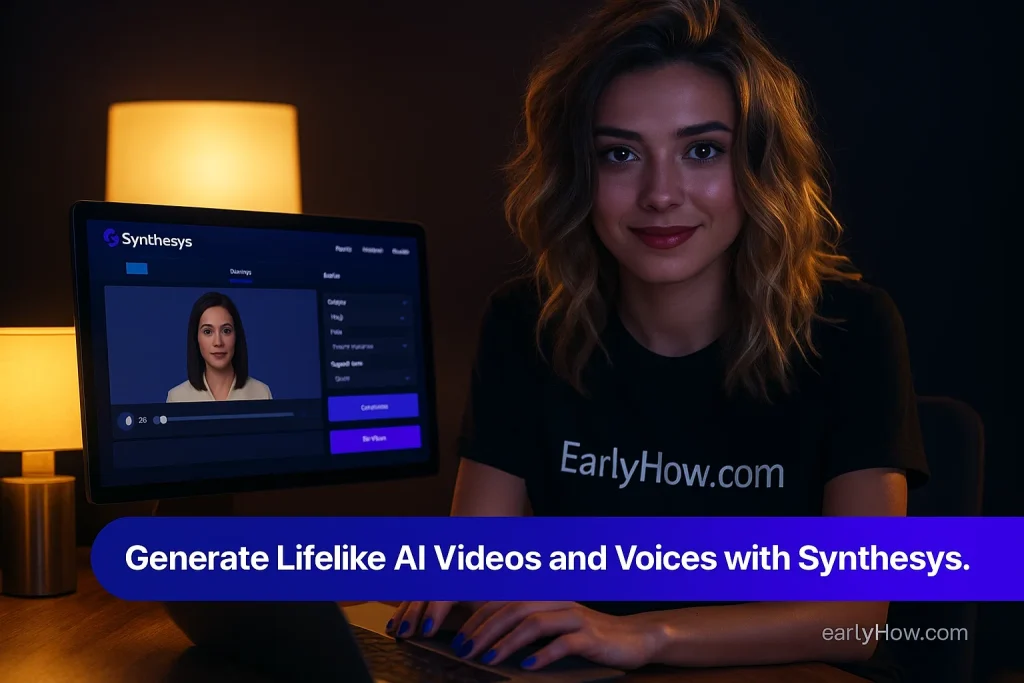
Synthesys AI is redefining how creators produce video and voice content. It brings cinematic quality to your laptop, letting you create spokesperson videos and multilingual voiceovers without needing actors, studios, or complex editing setups. Whether you’re building marketing campaigns, educational courses, or corporate training videos, Synthesys makes professional storytelling effortless.
Introduction – Synthesys AI Tool
For most creators, producing professional videos means expensive studios, actors, and hours of post-production. Synthesys changes that completely. It allows you to generate realistic voiceovers and digital presenters in just a few clicks, making high-end production accessible to everyone.
By blending advanced text-to-video and text-to-speech technologies, Synthesys delivers lifelike voices and avatars that feel truly human. It’s designed for professionals who want to save time, reduce cost, and still deliver content that connects emotionally. You can write a script, choose a presenter, and get a ready-to-publish video in minutes.
With its smooth interface and lifelike rendering, Synthesys feels less like software and more like your personal virtual studio.
🟦 Key Features – Synthesys AI Tool
Synthesys combines advanced AI models with human-like motion and sound design to make each output feel authentic and professional.
- AI Voice Generator: Produce hyper-realistic voices in more than 175 languages and dialects, each customizable in tone, emotion, and pacing.
- AI Avatars & Spokespersons: Choose from hundreds of digital presenters or upload your own likeness to create a fully personalized avatar.
- AI Dubbing & Lip Sync: Translate videos across languages while keeping the speaker’s natural facial expressions and timing intact.
- UGC-Style Video Creation: Craft social-style videos that look like they were shot with a real person on camera.
- Voice Cloning & Remix: Build a unique brand sound by cloning existing voices or designing new ones for consistency across platforms.
When you use Synthesys, the process feels seamless — upload your text, select your avatar and voice, and watch the AI generate a complete HD video that mirrors human speech patterns. In less than ten minutes, your content is ready for export or localization. For those aiming for perfection, pairing the Ultra Lip Sync Model with Studio Avatar Mode gives results nearly indistinguishable from real footage.
By merging voice, expression, and realism, Synthesys eliminates the old production barriers and gives you pure creative control.
🟦 How Synthesys Works
The beauty of Synthesys lies in its simplicity. You log into synthesys.io, write or paste your script, and choose from an extensive list of avatars and voice profiles. Then you can fine-tune expressions, adjust tones, or add natural pauses to make delivery more dynamic.
After clicking “Generate,” the AI handles everything — syncing lips, gestures, and emotional tone with unmatched precision. The output is a polished, ready-to-share 4K video.
From raw idea to final video, Synthesys guides you through every stage with an intuitive flow that removes all technical friction.
🟦 Use Cases – Synthesys AI Tool
Synthesys adapts effortlessly to nearly every type of content creation. Marketing teams use it to generate persuasive ad videos that look and sound human. Educators rely on it to deliver lessons in multiple languages. Corporations employ it to streamline training and onboarding across global teams.
It’s equally effective for YouTubers and social media creators who need engaging explainer or reaction-style content daily. Even podcasters and translators benefit from Synthesys’s dubbing engine, which allows instant conversion into other languages while maintaining tone and clarity.
No matter your profession, Synthesys ensures your message is clear, authentic, and scalable to any audience.
🟦 Target Audience – Synthesys AI Tool
Synthesys isn’t limited to one type of creator — it serves professionals who value speed, realism, and precision. Marketing agencies use it to produce brand content faster. Course creators use it to record lessons without ever turning on a camera. Podcasters, YouTubers, and media teams use it for global outreach, creating multilingual versions of their work.
Businesses and educators who need to communicate consistently across markets find Synthesys indispensable. It’s for anyone who wants cinematic quality without studio costs or production headaches.
Whether you’re a solo creator or managing a full content team, Synthesys fits right into your workflow and expands what you can produce every day.
🟦 Support & Access – Synthesys AI Tool
You don’t need to install anything to start — Synthesys is entirely web-based. Just open your browser, log in to synthesys.io, and all tools are ready to use. The interface feels sleek and modern, with simple controls for editing, previewing, and exporting.
Users can access round-the-clock support through chat or email, and the help center offers tutorials and troubleshooting guides for beginners. Integration with AI partners like Google VEO, Sora 2 Pro, and Sonzi AI keeps the system constantly improving.
The company also maintains a thriving creator community with tips, templates, and tutorials to help you get better results. Everything about Synthesys focuses on accessibility and ease of use, so even non-technical users can master it quickly.
🟦 📌 Pros and Cons – Synthesys AI Tool
Synthesys offers impressive realism and scalability that few competitors can match.
Pros:
- Lifelike voices and natural avatars.
- Supports 175+ languages and dialects.
- Full dubbing and translation engine.
- Voice cloning for personal or brand identity.
- 4K export quality with intuitive editing.
Cons:
- Longer render times for long-form videos.
- Custom avatars only available in upper-tier plans.
Even with these minor limitations, Synthesys remains one of the most advanced and professional AI video tools available today — perfectly balanced between quality and usability.
🟦 Synthesys AI Pricing (this year)
Synthesys offers flexible pricing so anyone from beginners to large teams can access its capabilities.
| Plan | Monthly | Yearly | Key Features |
|---|---|---|---|
| Free | $0 | — | 10 video credits, watermark output |
| Personal | $20 | $240 | 3 avatars, 10K voice credits |
| Creator | $41 | $490 | 12 avatars, HD export |
| Business Unlimited | $69 | $830 | Unlimited avatars & voices, API access |
Each plan scales logically, giving creators freedom to start small and expand as their projects grow.
Affordable entry points and realistic features make it one of the most accessible enterprise-grade AI production platforms available today.
FAQ – Synthesys AI Tool
Q1. What is Synthesys?
A. Synthesys is an AI video and voice generation platform that creates spokesperson videos and lifelike voiceovers directly from text.
Q2. Does it support multiple languages?
A. Yes — over 175 languages and dialects, all optimized for natural pronunciation.
Q3. Can users clone their own voice or avatar?
A. Yes, available on Creator and Business plans for full personalization.
Q4. Is there a free version?
A. Yes, with limited video credits and watermarking for trial purposes.
Q5. Who uses Synthesys?
A. Marketers, educators, agencies, and corporations creating video content for global audiences.
Q6. How can I start?
A. Go to synthesys.io and sign up to create your first AI-powered video.
From simple explainer clips to enterprise-scale communication, Synthesys answers nearly every creator’s need.
🟦 Final Thoughts – Synthesys AI Tool
Synthesys represents a new generation of AI tools built around realism and accessibility. It allows professionals to focus on storytelling instead of production, delivering studio-quality results from any device. The combination of voice cloning, dubbing, and natural motion gives it an edge that sets it apart in the AI video space.
If you’re ready to elevate your content strategy with human-sounding avatars and authentic voices, try Synthesys AI here and see how effortless high-end production can be.
💬 Share Your Thoughts
Have you tried Synthesys yet? Which feature caught your attention — the avatars, dubbing engine, or voice cloning? Tell us in the comments below and help other creators decide if this AI tool belongs in their video production stack.
🌟 Featured Ai Tools
🤖 Top AI Categories