Ever feel like your to-do list keeps growing while your energy keeps shrinking?
Whether it’s drafting emails, organizing your day, brainstorming content, or simply staying ahead in your career—modern life demands more than ever before. And yet, most of us are still doing everything the old way: manually, repeatedly, and under pressure. That’s exactly why now is the time to start using AI tools—to simplify your workflow, save hours each week, and finally focus on what really matters.
Here’s the truth: AI tools have quietly become the most powerful productivity upgrade available today.
And no, they’re not reserved for coders or big tech teams. In 2025, AI is now built for everyday people—like you. Whether you’re a freelancer juggling clients, a student managing deadlines, a small business owner wearing 10 hats, or simply someone trying to save time, AI tools can help you get more done, with less effort.
Still skeptical? Let’s break it down with real numbers.
Studies show that over 40% of daily tasks in knowledge work can now be automated using AI. That’s not a future prediction—it’s happening right now.
But here’s the problem:
Most beginners don’t know where to start.
Do you pick the first app you see on YouTube? Do you need to pay right away? Is it going to replace your job—or make it better?
This guide is your practical, pressure-free roadmap to making AI tools work for you. We’ll start with simple concepts, explore real-life use cases, and introduce powerful beginner-friendly tools (free and paid).
🧾Table of Contents
And don’t worry: no jargon, no overwhelm, no pressure to be perfect.
👍 With that in mind, I have a question:
Are you ready for your first step?
If yes, read on—and let’s change your life.
🤖 What Are AI Tools (in 2025 Terms)?
Let’s clear the fog first—AI tools aren’t magic, but they can feel like it when used right.
At their core, AI tools are software applications that simulate human-like abilities: thinking, writing, designing, predicting, generating, organizing. They’re powered by machine learning, natural language processing, and automation—but you don’t need to understand all that to use them.
Think of AI tools as digital assistants that help you work faster, create smarter, and solve repetitive problems—without burnout.
And in 2025, AI is no longer locked behind complex code or massive budgets. It’s available in apps you can use from your browser, your phone, or even inside your favorite tools like Google Docs or Canva.
🧩 Common Types of AI Tools You’ll See:
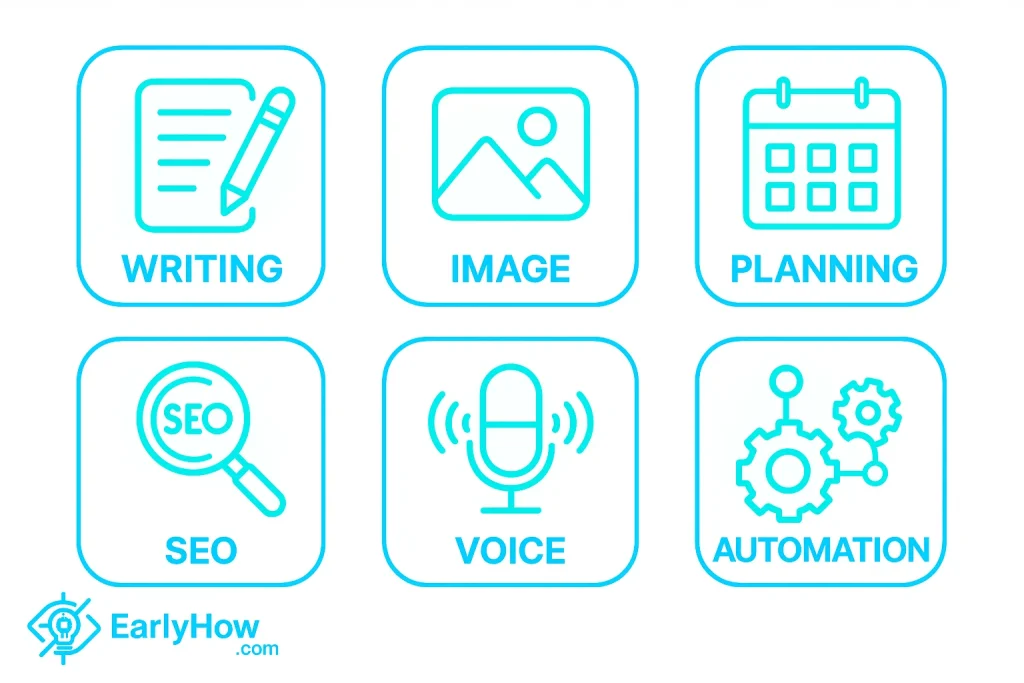
- Text & Writing Tools: Generate emails, blog posts, outlines, social captions (e.g., ChatGPT, Writesonic)
- Image Generators: Create graphics, thumbnails, artwork with a prompt (e.g., Midjourney, Canva AI)
- Productivity Assistants: Summarize, schedule, and organize info (e.g., Notion AI, Mem)
- Marketing & SEO AI: Help with keyword research, article optimization (e.g., SurferSEO, NeuronWriter)
- Voice & Audio AI: Clone voices, create narration or convert text to speech (e.g., ElevenLabs)
- Automation AI: Connect your apps and build smart workflows (e.g., Zapier + AI)
💡 You don’t need to learn AI—you just need to learn how to use AI.
That’s the key difference in 2025. It’s not about becoming a machine-learning expert. It’s about knowing which tool helps you automate, accelerate, or enhance the tasks you already do.
If you’ve ever used auto-suggest while typing, asked Siri a question, or let YouTube autoplay something “for you,” you’ve already interacted with AI.
Now imagine doing that—but with content writing, visual design, planning, outreach, or even coding.
In the next section, let’s explore why AI tools have gone from “cool toys” to daily essentials—and why now is the smartest time to start using them.
🚀 Why AI Matters Now More Than Ever
AI isn’t just trending—it’s transforming. And in 2025, ignoring it means falling behind.
But let’s be real: AI used to feel like something only tech experts or corporations cared about. Today? It’s your unfair advantage—whether you’re building a business, writing an email, planning content, or just trying to get organized.
📊 Stat Check: According to McKinsey’s 2024 AI report, 79% of professionals who adopted AI tools say they’ve seen noticeable improvements in both productivity and creativity.
And the best part? You don’t have to be a developer or a data scientist to benefit. You just have to start using the right tool for the right task.
💡 5 Reasons Why You Should Start Using AI Now:
1. Time Is Your Most Valuable Asset
AI lets you automate hours of manual tasks—like writing, formatting, planning, or responding—so you can focus on higher-value work.
2. You Can Do More With Less
Solopreneurs and small teams can now achieve what used to require full departments: from design to customer support to SEO.
3. AI Tools Are Finally Beginner-Friendly
2025 tools come with no-code interfaces, intuitive prompts, and built-in tutorials. If you can use Google Docs, you can use Notion AI or ChatGPT.
4. Your Competitors Are Already Using It
From freelancers to Fortune 500s, AI is being used to write reports, create strategies, and test ideas faster. Waiting too long means giving others the edge.
5. It’s Not About Replacing You—It’s About Empowering You
AI doesn’t remove your creativity. It amplifies it. Think of it as a creative partner, not a robot trying to take over.
✅ Bottom Line:
AI tools are no longer optional—they’re part of the modern digital toolkit. The earlier you start, the easier it becomes to stay ahead.
Up next, we’ll break down how you can apply AI to real-life, everyday tasks—from writing a simple email to generating a marketing plan in minutes.
🛠️ Everyday Tasks You Can Automate With AI
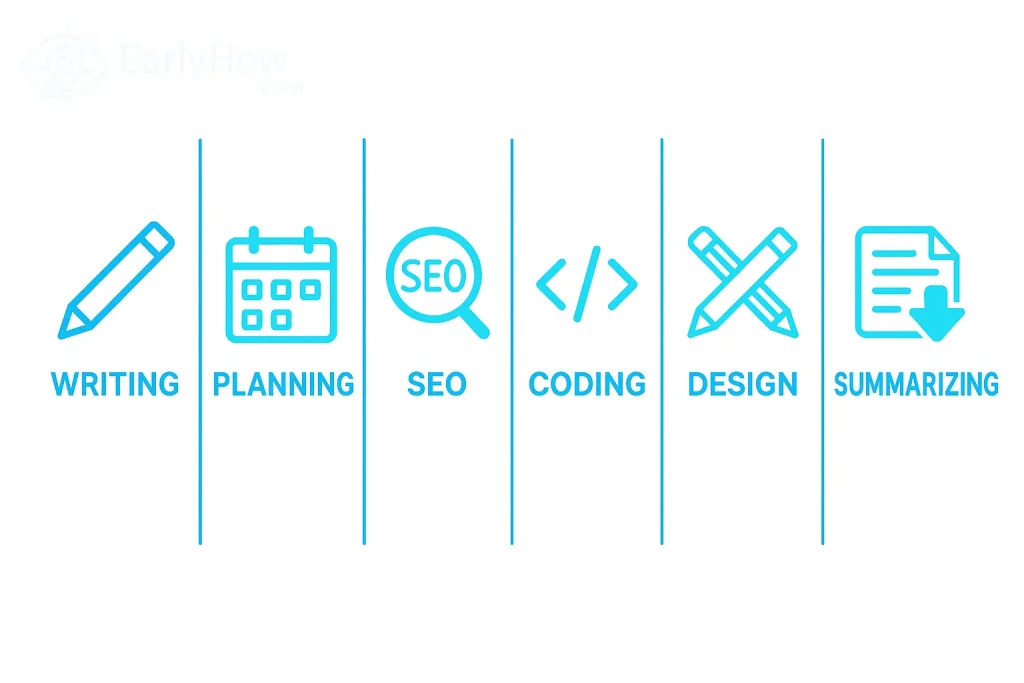
Still wondering how AI fits into your real life?
Here’s the truth: You don’t need a startup, a tech degree, or a full business plan to benefit from AI. All you need is a task you repeat too often—or dread doing altogether.
Let’s walk through real-world examples of everyday tasks that AI can simplify, enhance, or completely automate—starting today.
✍️ 1. Writing Emails & Messages
- Draft responses, introductions, follow-ups, and support emails
- Personalize faster with tone control
- AI Tools: ChatGPT, Writesonic, Flowrite
- [Insert visual of email generated by AI]
🧠 2. Brainstorming & Idea Generation
- Need blog ideas? Video hooks? Instagram captions?
- AI can give you 10 ideas in 10 seconds
- AI Tools: Notion AI, Copy.ai, Jasper
- [Insert screenshot of idea prompt session]
📝 3. Summarizing Articles, Reports, or Meetings
- Turn long PDFs into short notes
- Auto-generate meeting takeaways or highlights
- AI Tools: ChatGPT, Notion AI, Claude.ai
- [Insert side-by-side comparison: original vs. summary]
🗓️ 4. Planning Tasks & Daily Organization
- Schedule your week, plan blog calendars, set reminders
- AI helps prioritize based on goals
- AI Tools: Motion, Mem, Notion AI
- [Insert calendar plan from AI screenshot]
🖼️ 5. Creating Images & Graphics
- Need a YouTube thumbnail? A blog header?
- Just describe it—AI draws it
- AI Tools: Midjourney, Canva AI, Leonardo.Ai
- [Insert image prompt + final result]
📈 6. Doing SEO Research & Content Optimization
- Find keywords, create outlines, optimize for traffic
- Reduce guesswork in ranking your content
- AI Tools: SurferSEO, NeuronWriter, Frase
- [Insert keyword map screenshot]
🎙️ 7. Generating Voiceovers & Audio
- Convert text to studio-quality narration
- Great for YouTube, podcasts, or tutorials
- AI Tools: ElevenLabs, Murf, Play.ht
- [Insert audio waveform screenshot]
👨💻 8. Writing & Debugging Code
- Let AI generate code snippets, fix bugs, or write functions
- Works for beginners and pros alike
- AI Tools: GitHub Copilot, Codeium, Replit AI
- [Insert AI-written code snippet example]
🧩 Bonus Tip: You don’t have to use all these tools. Start with one task you hate—and see how AI transforms it.
In the next section, we’ll help you choose the right tool for your needs, so you’re not wasting time testing everything blindly.
🧭 How to Choose the Right AI Tools (Based on Your Daily Needs)
By now, you’re probably thinking,
“Okay… but which AI tool should I start with?”
That’s a smart question—and the key to actually using AI instead of endlessly testing shiny apps.
Let’s break it down based on what you need most right now.
🎯 Step 1: Identify Your Core Daily Tasks
Before picking any tool, ask yourself:
- What do I do every day that takes too long?
- Which task do I always put off?
- Where do I lose focus or feel overwhelmed?
Then match that task to the right tool category:
| Daily Task | AI Tool Type | Examples |
|---|---|---|
| Writing emails/blogs | Writing assistant | ChatGPT, Writesonic, Jasper |
| Planning & organizing | Productivity AI | Notion AI, Mem, Motion |
| SEO content creation | SEO research/optimization AI | SurferSEO, NeuronWriter |
| Creating visuals | Image generators/design AI | Canva AI, Midjourney |
| Summarizing long content | Summarizers | Claude.ai, Notion AI, ChatGPT |
| Coding/debugging | Developer tools | GitHub Copilot, Replit AI |
| Voice/audio content | Voice generation AI | ElevenLabs, Murf, Play.ht |
💡 Step 2: Match Tools With Your Skill & Comfort Level
You don’t need advanced tools if you’re just starting.
| Comfort Level | Start With |
|---|---|
| “I need it super easy” | Canva AI, Notion AI, Writesonic |
| “I’m okay experimenting” | ChatGPT, Jasper, SurferSEO |
| “I want full control” | GitHub Copilot, Zapier + AI, Midjourney |
⚠️ Step 3: Avoid Tool-Hopping (Start Small)
The biggest beginner trap? Trying everything at once.
Here’s a better way to begin:
- Choose 1 problem to solve (e.g., writing emails faster)
- Pick 1 tool to test (e.g., ChatGPT or Flowrite)
- Use it on a real task today—then decide if it’s a fit
🧠 Tip: Many top AI tools offer free trials or forever-free versions. Test before you commit.
In the next section, I’ll give you a curated list of the 12 best AI tools for beginners—including what they do, who they’re for, and how to get started with each.
🧰 12 Best AI Tools for Beginners in 2025 (Free & Paid)
Feeling overwhelmed by too many tools? You’re not alone. That’s why we’ve handpicked 12 AI tools that are beginner-friendly, practical, and powerful—even if you’ve never used AI before.
Each tool below includes what it does, why it’s useful, and how to try it today (no fluff, just action).
✍️ 1. ChatGPT (OpenAI)
What It Does: AI chatbot that can answer questions, write content, solve problems, and assist with almost anything text-based.
Why It’s Great for Beginners: Simple interface, no setup needed, and incredibly versatile.
Use It For: Emails, summaries, writing help, coding, research.
Try It: chat.openai.com
📝 2. Writesonic
What It Does: AI writer for blog posts, ads, emails, landing pages, and more.
Why It’s Great for Beginners: Templates + fast output with minimal prompts.
Use It For: Marketing content, sales pages, product descriptions.
Try It: writesonic.com
🧠 3. Notion AI
What It Does: Built-in assistant inside Notion that summarizes, writes, and organizes text.
Why It’s Great for Beginners: Seamless if you already use Notion for notes or planning.
Use It For: Daily planning, knowledge management, task summaries.
Try It: notion.so
🎨 4. Canva AI (Magic Design & Magic Write)
What It Does: AI-assisted image design and writing directly inside Canva.
Why It’s Great for Beginners: No design skills required—just describe what you want.
Use It For: Social posts, banners, thumbnails, presentations.
Try It: canva.com
🔍 5. SurferSEO
What It Does: Content optimization tool that helps you write SEO-rich blog posts.
Why It’s Great for Beginners: Real-time scoring and content outline suggestions.
Use It For: Blog writing, SEO content, on-page optimization.
Try It: surferseo.com
✒️ 6. GrammarlyGO
What It Does: AI-powered communication assistant built into Grammarly.
Why It’s Great for Beginners: Suggests tone changes, rewrites, and ideas as you type.
Use It For: Emails, messages, documents with better tone and clarity.
Try It: grammarly.com
🧵 7. DeepSeek Chat
What It Does: Multilingual chatbot focused on deeper logic, analysis, and code generation.
Why It’s Great for Beginners: Clean interface, free access, and strong math/coding focus.
Use It For: Coding help, technical writing, brainstorming.
Try It: deepseek.com
🗣️ 8. ElevenLabs
What It Does: Text-to-speech engine that produces ultra-realistic voiceovers.
Why It’s Great for Beginners: Natural voices, simple input, amazing audio quality.
Use It For: Podcasts, videos, narration, voice cloning.
Try It: elevenlabs.io
🎨 9. Midjourney
What It Does: AI image generation via Discord commands.
Why It’s Great for Beginners: Produces stunning visuals from simple prompts.
Use It For: Illustrations, logos, thumbnails, concept art.
Try It: midjourney.com
⚡ 10. Durable AI
What It Does: AI website builder that generates a full site in seconds.
Why It’s Great for Beginners: Requires zero technical skills—just answer 3 questions.
Use It For: Personal sites, portfolio pages, landing pages.
Try It: durable.co
🎞️ 11. Pictory
What It Does: Turns blog posts or scripts into videos with voice, music, and visuals.
Why It’s Great for Beginners: Drag-and-drop editor + AI handling voice and stock footage.
Use It For: YouTube shorts, reels, explainer videos.
Try It: pictory.ai
🔗 12. Zapier + AI Integrations
What It Does: Automates tasks between your favorite apps using AI triggers.
Why It’s Great for Beginners: Build automations visually, no code required.
Use It For: Auto-responders, lead capture, data updates, productivity flows.
Try It: zapier.com
🎯 Pro Tip: Start with one tool based on your most painful task. Test it, use it, and see results. Then expand from there.
Next up: let’s talk about the mistakes to avoid when getting started with AI—so you don’t waste time or feel stuck.
⚠️ Common Mistakes Beginners Make With AI
AI tools are powerful—but like any tool, how you use them matters more than how advanced they are.
Too many beginners dive in with high hopes and quit quickly—not because AI failed, but because they fell into these easy-to-avoid traps.
Here’s what to watch out for as you begin your AI journey:
❌ Mistake #1: Expecting Perfect Results on the First Try
AI isn’t magic—it’s fast, not flawless.
Your first output might be “meh.” That’s normal. The key is knowing how to tweak the prompt or ask better follow-ups.
Fix: Think of AI as a rough draft generator—not a final product factory.
❌ Mistake #2: Trying Too Many Tools at Once
Exploring is good—tool-hopping is exhausting.
Testing 10 apps in 2 days will only leave you confused and burned out.
Fix: Choose one problem to solve, pick one tool, and stick with it for at least a week.
❌ Mistake #3: Using the Wrong Tool for the Job
Not all AI tools are equal. Using a writing bot for SEO research, or an art generator to do audio work, leads to frustration.
Fix: Match the tool to the task (see Section 5) and look for tools built specifically for your goal.
❌ Mistake #4: Skipping the Learning Curve
Yes, AI saves time—but learning how to use it takes a bit of time upfront.
Some users quit too early because they didn’t give the tool a proper chance.
Fix: Watch 1–2 beginner tutorials or try built-in templates before giving up.
❌ Mistake #5: Blindly Trusting Everything AI Generates
Whether it’s facts, tone, or design—AI can get things wrong. Always proofread, fact-check, or tweak.
Fix: Treat AI like a junior assistant: smart, helpful, but in need of your final touch.
💡 Remember: AI doesn’t replace you—it amplifies you.
Use it to jumpstart your work, enhance creativity, and reduce busywork—not to disengage from the process entirely.
In the next section, I’ll show you how to start using AI today with a 3-step onboarding plan—even if you’ve never touched an AI tool before.
Here’s Section 8 of your pillar post:
🚀 How to Start Today (Your 3-Step Onboarding Plan)
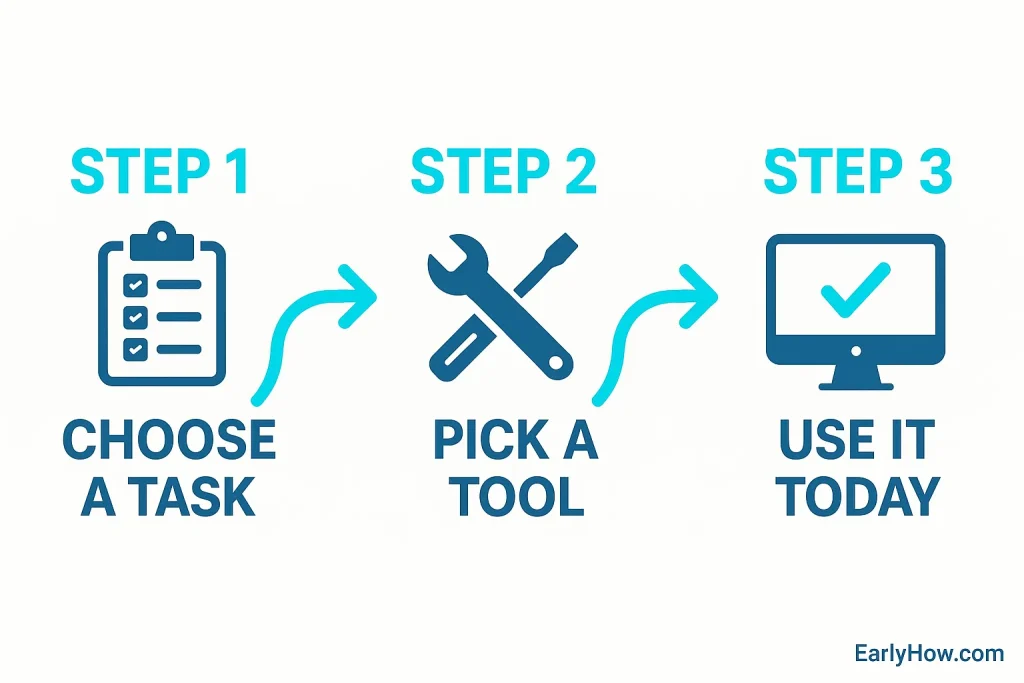
No more overthinking. No more saving links “for later.”
If you’re reading this, you’re already ahead of most people—you’re curious, and that’s all it takes to begin.
Here’s a dead-simple, 3-step plan to go from “I don’t know where to start” to “Wow, AI just saved me 2 hours.”
✅ Step 1: Pick One Real Task You Want Help With
Start with something small but real—like:
- Writing an email
- Brainstorming blog ideas
- Summarizing a long article
- Designing a social media graphic
- Creating an outline for a video
Pro Tip: Don’t try to “learn AI.” Just use it on something you were going to do anyway.
✅ Step 2: Choose One Beginner-Friendly Tool
Match your task to a trusted, no-friction tool:
| Task | Suggested Tool |
|---|---|
| Writing/email | ChatGPT, Writesonic |
| Brainstorming | Notion AI, Copy.ai |
| Summarizing | ChatGPT, Claude.ai |
| Design | Canva AI |
| SEO | SurferSEO |
Bonus: Most of these tools offer free plans or trials—so no commitment required.
✅ Step 3: Use the Tool Today on That Task
Open the tool, start typing, give it a real-world prompt like:
“Write a friendly follow-up email to a client about our new service.”
or
“Create an Instagram caption for a coffee shop’s new autumn menu.”
Then… see what it gives you.
Tweak it. Rerun it. Improve it. And most importantly—finish the task with its help.
🎯 The goal isn’t perfection. The goal is action.
📋 Optional: Keep an “AI Wins” Journal
Whenever AI helps you save time, spark creativity, or just make life easier—write it down.
This helps you:
- Build momentum
- Notice your improvement
- Identify which tools are worth keeping long-term
👇 Coming up next: Let’s answer the most common questions beginners ask about using AI tools in 2025—so you can move forward with clarity and confidence.
❓ Frequently Asked Questions (FAQs)
We’ve helped a lot of beginners get started with AI—and most of them ask the same questions. If you’ve been wondering any of the following, you’re not alone.
Let’s clear things up.
Q. Do I need to know how to code to use AI tools?
A. Nope! Most AI tools today are built with everyday users in mind. If you can type a question into Google, you can use tools like ChatGPT, Canva AI, and Notion AI.
Q. Are AI tools free?
A. Many of them offer free plans or trials. ChatGPT has a free version, Writesonic gives limited credits, and Canva AI is included with free accounts. Paid plans offer more features, but you can start without spending anything.
Q. What’s the easiest AI tool for total beginners?
A. Start with ChatGPT for writing, Canva AI for design, or Notion AI for planning. They all have clean interfaces and don’t require special skills.
Q. Can I use AI tools on my phone?
A. Yes! Many tools (like ChatGPT, Notion, Canva) have mobile apps or browser versions optimized for mobile use.
Q. Will AI take over my job?
A. AI won’t replace you—it will replace parts of your workflow if you don’t evolve. The best approach is to use AI as a co-pilot that helps you do better work, faster.
Q. What tasks should I start automating first?
A. Focus on repetitive or time-consuming tasks like:
Writing emails
Scheduling posts
Brainstorming ideas
Creating social content
Q. What if I try AI and the results are bad?
A. That’s normal at first. Most tools improve with better prompts. Think of AI like a junior assistant—you need to give clear instructions and guide it a bit.
Q. How do I write a good AI prompt?
A. Be specific. Instead of “write a blog post,” say “write a 200-word blog intro for a beginner’s guide on AI tools in 2025.” The more details, the better the output.
Q. What AI tools should I avoid as a beginner?
A. Avoid tools that require integrations or coding unless you’re comfortable experimenting. Skip the hype and focus on tools that solve your immediate problems.
Q. Can I create a website or product using just AI?
A. Yes! Tools like Durable AI (website builder), Writesonic (copy), and Midjourney (design) can help you build and launch without a team.
Q. Are AI tools safe to use with personal data?
A. Stick to trusted platforms. Avoid entering sensitive information into AI tools unless you know they comply with privacy standards. Check their policies first.
Q. Do I need different tools for different tasks?
A. Usually, yes. One tool rarely does everything well. That’s why we built this post—to help you match the right tool to your daily needs.
Q. Can I use AI for school or academic work?
A. You can use it to brainstorm ideas, reword sentences, summarize texts, or explain tough concepts. Just be careful not to rely on AI for writing entire essays if your school has restrictions.
Q. Where do I learn more about using AI tools?
A. That’s exactly what EarlyHow.com is for. Browse our beginner guides, tool reviews, and tutorials—and learn by doing.
🧾 Final Thoughts: Make AI Work for You in 2025
You don’t need to master every tool.
You don’t need to automate everything.
You just need to start—with one real task, one tool, and one win.
Remember: AI doesn’t replace your effort—it multiplies your potential.
Whether you’re a student, freelancer, creator, or small business owner, the tools are in your hands now.